Plain-language prompts
Describe what to look for in a sentence. Change the question at any time without retraining a model.
PAI-VISION
Your cameras, understood in plain language. On-site.
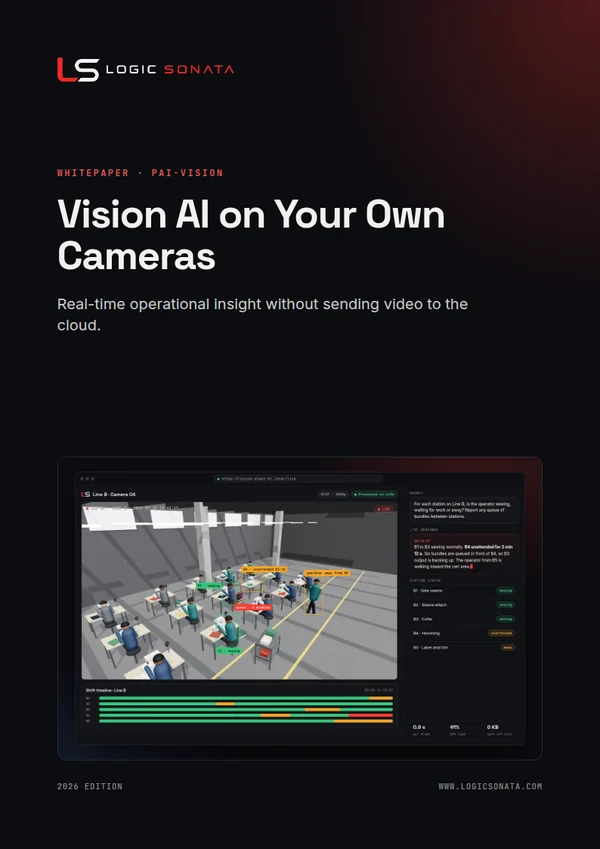
Connect a webcam or an existing IP camera, describe what you want to know in plain language, and a vision-language model running on your appliance analyses the live feed in real time. Spot idle time on a production line, unsafe behaviour or activity after hours, without training a custom model and without sending a single frame to the cloud.

01The challenge
Factories, warehouses and stores already have cameras, but footage is only reviewed after something goes wrong. Traditional computer vision needs a custom model for every question. A vision-language model understands scenes described in everyday language, so one system can answer many operational questions, live.
02Capabilities
Describe what to look for in a sentence. Change the question at any time without retraining a model.
Browser webcams over WebRTC and IP cameras over RTSP feed the model continuously.
Open vision-language models are served locally, so video and results stay on-site.
Observations stream back within seconds, with latency and GPU utilisation shown alongside.
Findings can be logged, summarised by shift and pushed to dashboards or alerts.
Observations are indicators for supervisors to review, not automated decisions about people.
03How it works
NVIDIA Live VLM WebUI, an open-source real-time interface for vision-language models, with open models served on the appliance. Logic Sonata adds camera integration, prompt design, event logging, dashboards and governance.

Add webcams or existing IP cameras. No new camera hardware is needed for most sites.
Write prompts such as "Is the operator at station 4 working, waiting or away?"
The appliance samples frames continuously and a vision-language model interprets each scene.
Supervisors see live observations and shift summaries, and receive alerts for agreed events.
Adjust prompts, add cameras and new questions as your team learns what is useful.
04Time and motion, in plain language
Instead of training a model per question, supervisors describe what they care about. The model answers continuously, and results roll up into shift summaries.
Is the operator at station 4 sewing, waiting for work or away from the station?
Are bundles piling up between stations 3 and 4? Describe the queue.
Is anyone in the marked forklift lane without a high-visibility vest?
After 22:00, report any person or vehicle near the loading bay door.
05Use cases
Detect idle stations, waiting for materials and unnecessary movement to balance lines and remove bottlenecks.
A second pair of eyes for visible defects such as stains, broken stitches or shade variation.
Flag missing helmets or vests, blocked exits and people too close to moving equipment.
Activity after hours, loitering near restricted doors and unattended items, described in plain language.
Dock occupancy, loading progress and unsafe pallet stacking, shift by shift.
Queue length, empty shelves and fitting-room waits, so staff go where they are needed.
06Security and governance
Every Logic Sonata system runs on hardware you control, with access, audit and data boundaries designed in from the start.
07FAQ
Usually not. Webcams and most IP cameras that provide an RTSP stream can be connected. We check your cameras during the assessment.
The system is designed to improve processes, safety and security. We recommend focusing prompts on stations and events rather than individuals, informing staff, and following local data protection law. Findings are for human review.
Vision-language models are strong at describing scenes but can make mistakes, so observations are treated as indicators. We tune prompts and camera placement during the pilot and measure accuracy against real footage.
08More from Logic Sonata
A governed assistant that answers questions from your SOPs, specifications, policies and reports. Every answer cites its source and every user sees only what their role allows.
Code completion, repo-aware chat, review and agentic coding in the tools your developers already use, powered by open coding models on your own hardware.
Self-hosted AI agents built on Hermes Agent or OpenClaw that research, write and act across your tools, running on private models inside a sandbox with approval for anything that matters.
A ready-to-use image generation studio built on ComfyUI, preinstalled with curated models and templates, so designers create prints, concepts and campaign visuals without their work leaving the building.
Get started
Book a 30-minute consultation. We will show the system working and scope a pilot around your use case.