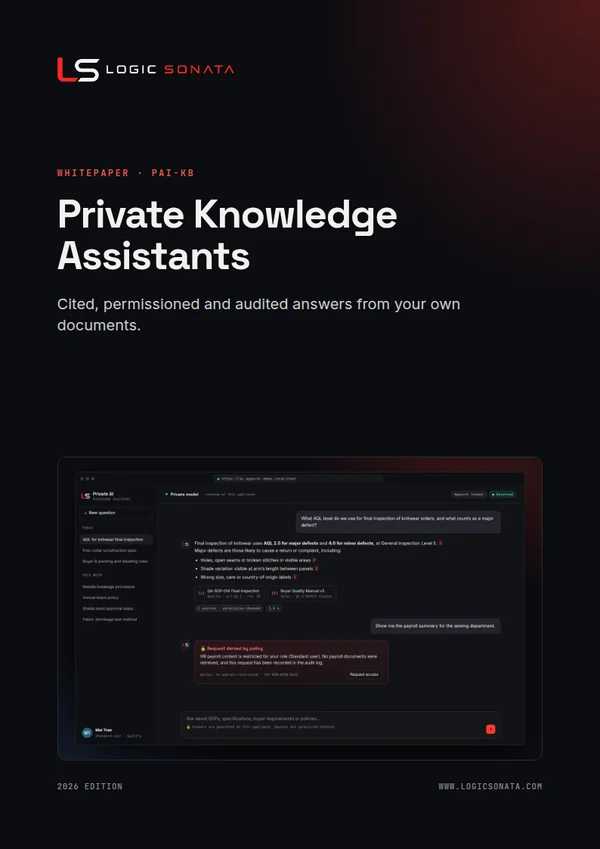
Answers with citations
Every answer links back to the source document and passage, so users can verify it in one click.
PAI-KB
Answers from your own documents. Cited, permissioned and audited.
Ask a question in plain language and get an answer drawn from your own documents, with a citation to the exact source. Access rules are enforced before anything is retrieved, restricted content fails closed, and every query is recorded in a Security Center your team controls. Nothing leaves your appliance.

01The challenge
Staff paste SOPs, buyer requirements and costing sheets into public AI tools because finding the right answer internally takes too long. A private knowledge assistant gives them faster answers than a public tool, from sources they can check, without the data ever leaving the business.
02Capabilities
Every answer links back to the source document and passage, so users can verify it in one click.
Access rules are applied before retrieval and results are re-authorised before display. Restricted content fails closed.
Federates with your identity provider over OIDC. Roles such as user, manager, auditor and administrator, plus approved temporary access.
Policies are managed in one place, enforced by Open Policy Agent, and can be simulated before they go live.
One console for policies, access requests, security events, AI activity, traces, model usage, audit timeline and reports.
Detects prompt-injection attempts and poisoned documents before they can influence an answer.
Keyword and semantic retrieval combined, qualified for multilingual content across regional teams.
Outbound traffic passes an approved egress proxy. Prompts, documents and answers stay on the appliance.
Encrypted data at rest, signed offline updates with rollback, backup, restore and health monitoring.
03How it works
Open WebUI for the chat experience, open-weight language models served on the appliance, Open Policy Agent for policy decisions, OIDC single sign-on, and self-hosted Langfuse for observability, all wrapped in a Logic Sonata governed gateway and Security Center.

Documents are ingested through a secure conversion pipeline and tagged with owner, folder, classification and lifecycle.
A hybrid keyword and vector index is built on the appliance. Nothing is sent to an external service.
Users sign in with single sign-on and ask questions in a clean chat interface, in their own language.
The policy engine evaluates the user, role and content before retrieval, and again before results are shown.
The model answers only from permitted passages and cites each source.
Every request, denial and model call is traceable in the Security Center.
04See it working
Our live demonstration runs a fictional apparel manufacturer with production, quality, technical design, sales, HR, finance and executive teams. The same question gets a different, correct answer depending on who asks.
Gets cited answers from production, quality, technical and sales documents and the staff handbook. Payroll, budgets and board strategy are denied and the attempt is logged.
Sees everything a standard user sees. Restricted HR, finance and executive content stays denied unless access is explicitly delegated.
Governs policies, access requests and temporary access in the Security Center, with every change recorded on the audit timeline.
Reviews AI activity, traces, denials and reports without being able to change policy.
05Use cases
Inspection levels, defect standards and line procedures answered on the factory floor.
Construction details, measurement specs and material requirements in seconds.
Customer manuals, testing protocols and compliance rules, with the exact clause cited.
Staff get policy answers any time; payroll and personal data stay restricted.
Product knowledge and order procedures for faster, consistent responses.
Finance, payroll and board material available only to authorised roles, and every attempt logged.
06Security and governance
Every Logic Sonata system runs on hardware you control, with access, audit and data boundaries designed in from the start.
07FAQ
No. Permissions are checked before retrieval and again before results are displayed. If a user asks about restricted content, the request is denied and recorded.
Yes. The assistant federates with your identity provider over OIDC, so staff use the accounts they already have.
Common office formats such as PDF, Word, Excel, PowerPoint and text are converted through a secure ingestion pipeline. We confirm your specific formats during the assessment.
08More from Logic Sonata
Real-time analysis of live camera feeds by a vision-language model on your appliance. Ask what is happening on a line, at a dock or at an entrance, without video leaving your premises.
Code completion, repo-aware chat, review and agentic coding in the tools your developers already use, powered by open coding models on your own hardware.
Self-hosted AI agents built on Hermes Agent or OpenClaw that research, write and act across your tools, running on private models inside a sandbox with approval for anything that matters.
A ready-to-use image generation studio built on ComfyUI, preinstalled with curated models and templates, so designers create prints, concepts and campaign visuals without their work leaving the building.
Get started
Book a 30-minute consultation. We will show the system working and scope a pilot around your use case.